Case study 06 / 08
Smart home remote
Nook
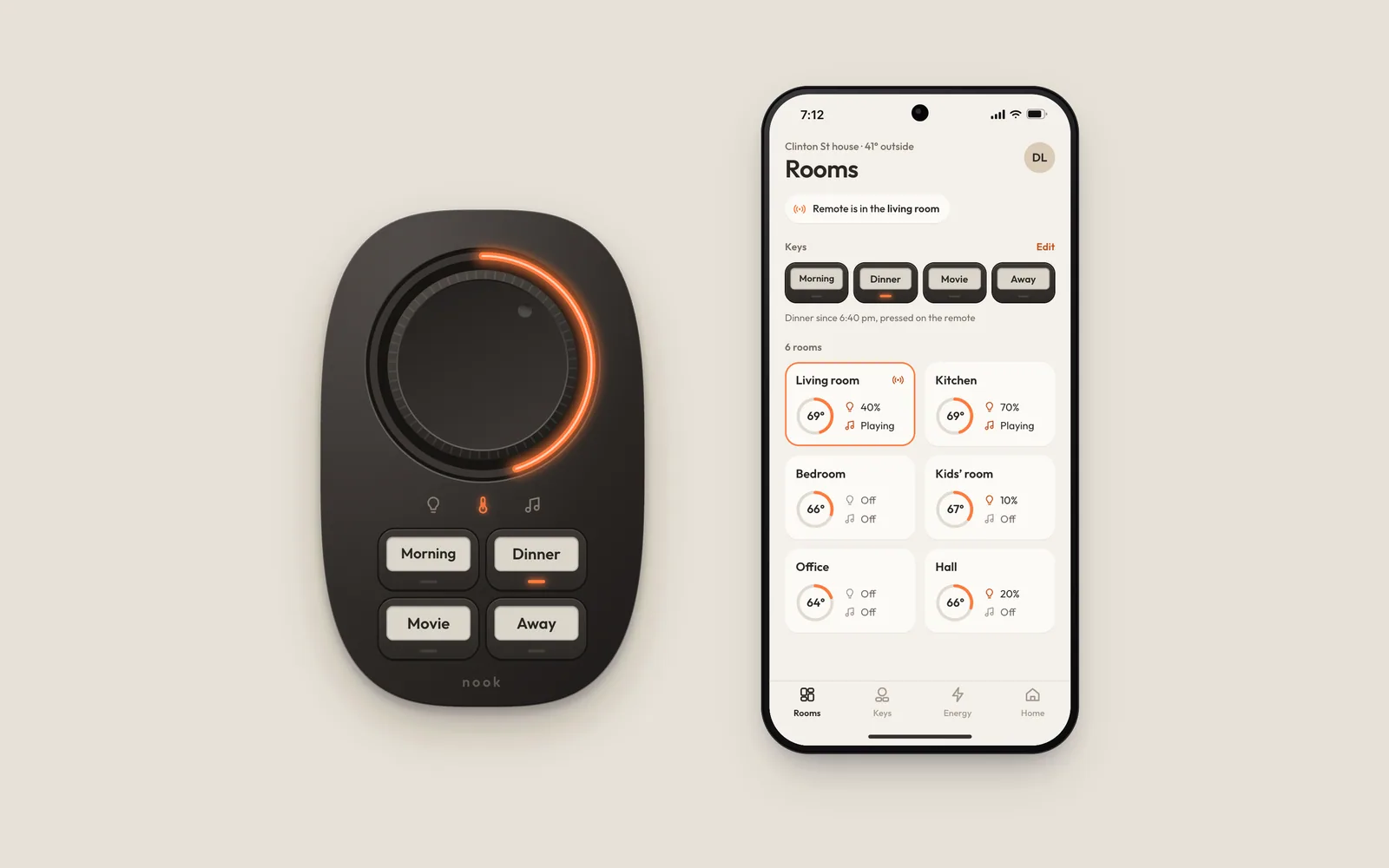
A palm-sized remote with one dial and four labeled keys that runs a home’s lights, heat, and music, so guests and grandparents can use it too.
- Client
- Nook Home, Portland
- Year
- 2023
- Role
- Product designer, hardware interface and app
- Team
- Ines Carvalho, industrial design
- Tomás Reyes, firmware
- Hana Kobayashi, iOS
- Dmitri Volkov, Android
The problem
The households we visited ran lights, heat, and music from five or more apps, and only the person who installed them could use any of them. Guests texted from the spare room to ask how to turn the heat up. One grandmother left every lamp on overnight rather than ask for her son’s phone. Nook Home had a crowdfunding date, a $79 price, and a remote that had to work for someone who never set it up.
Decisions
- 01
One dial that knows which room it is in
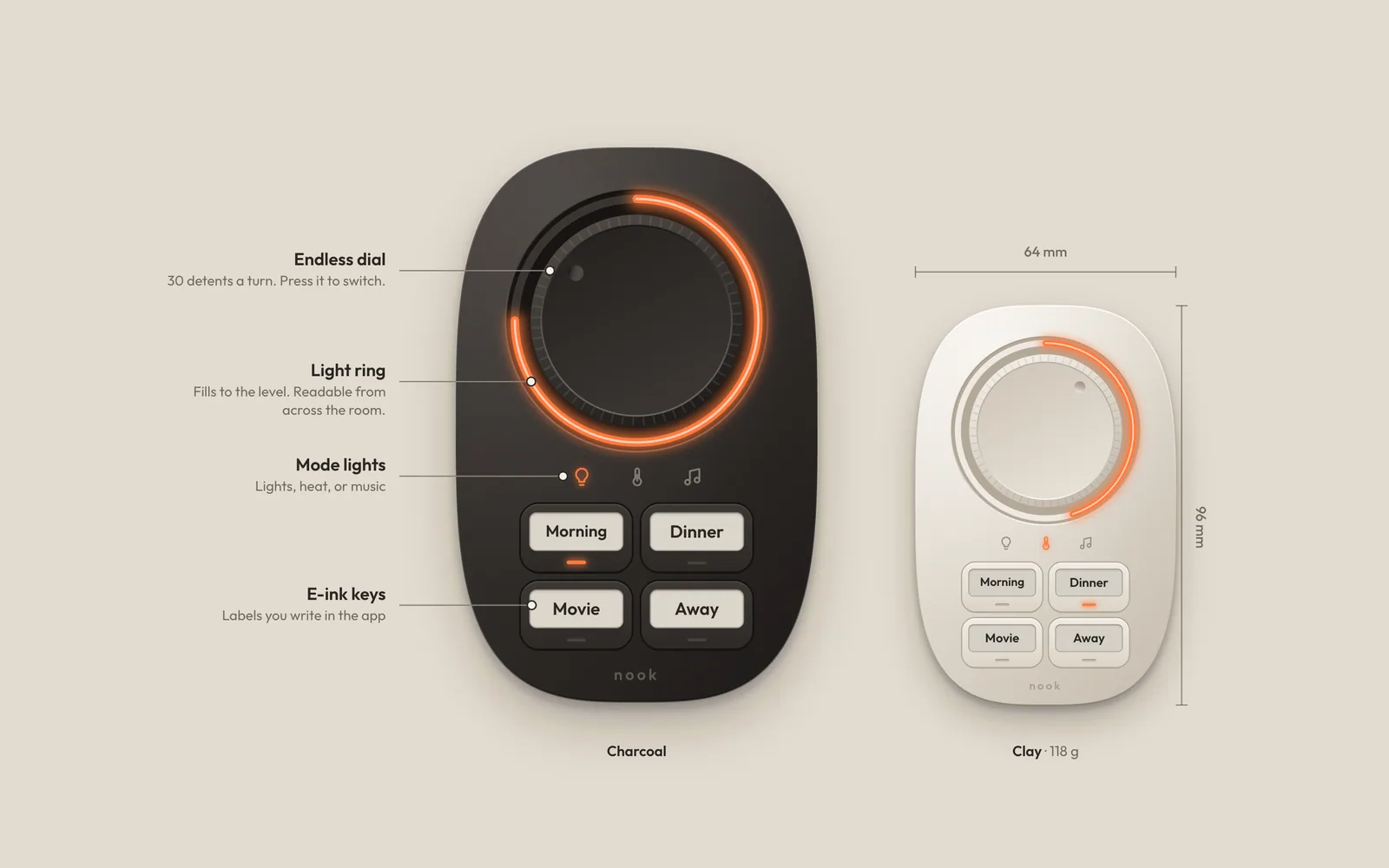
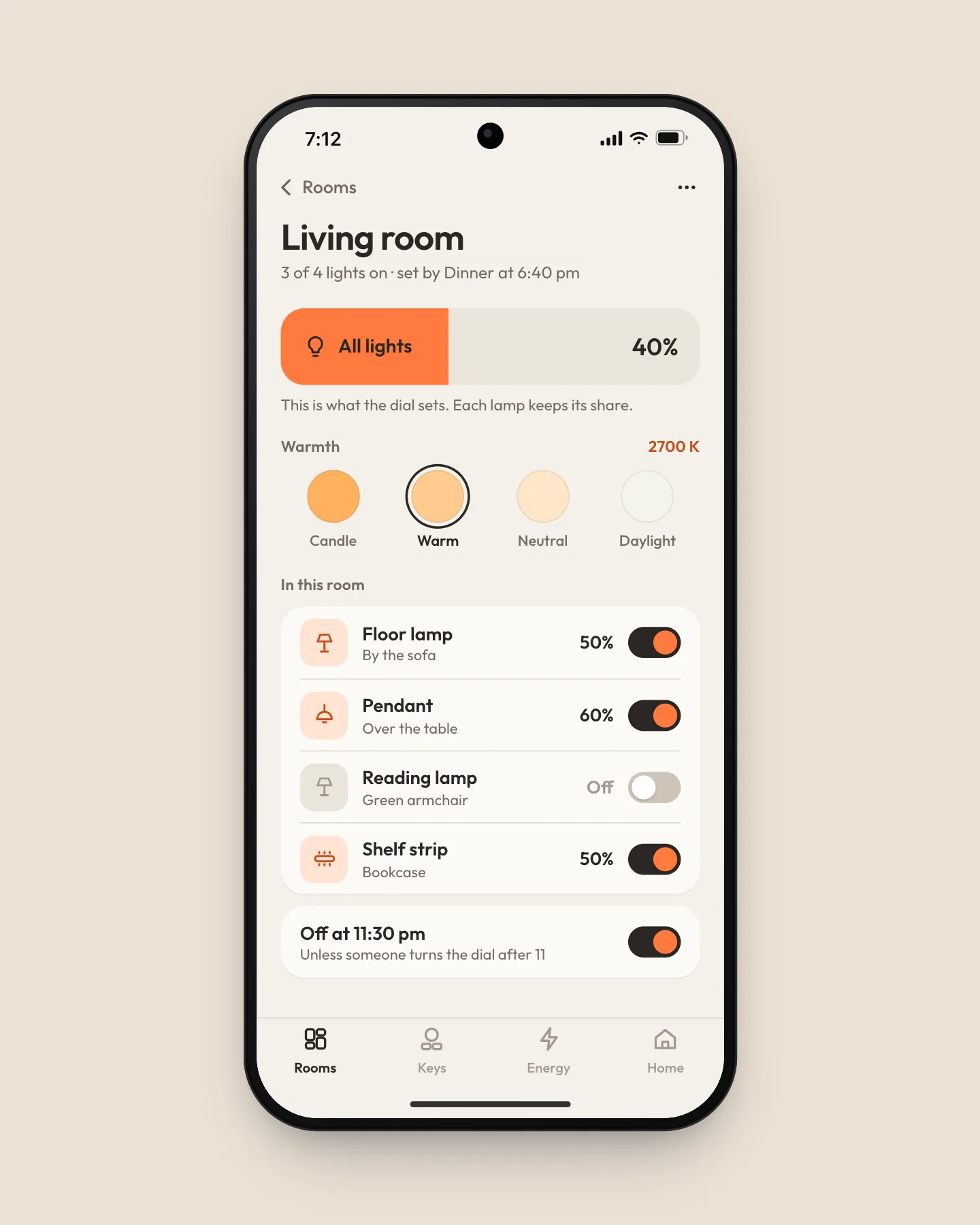
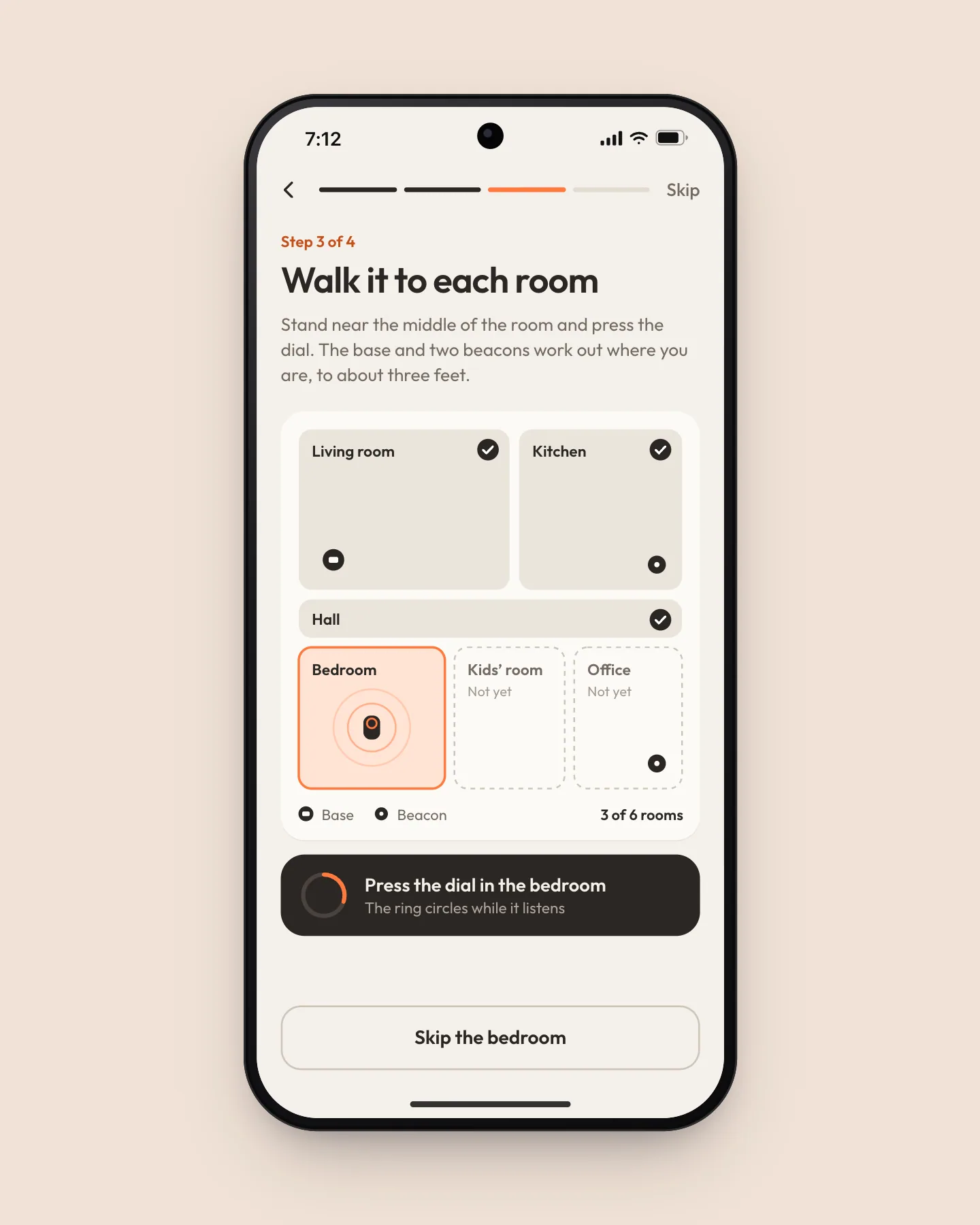
Ultra-wideband radios in the remote, its charging base, and two plug-in beacons place it to within about three feet, so the dial always turns the room you are standing in. There is no room picker and no menu. A ring of light around the dial fills to the level, so you can read it from the sofa. The radio added $6 to the bill of materials, and we paid for it by cutting the screen.
- 02
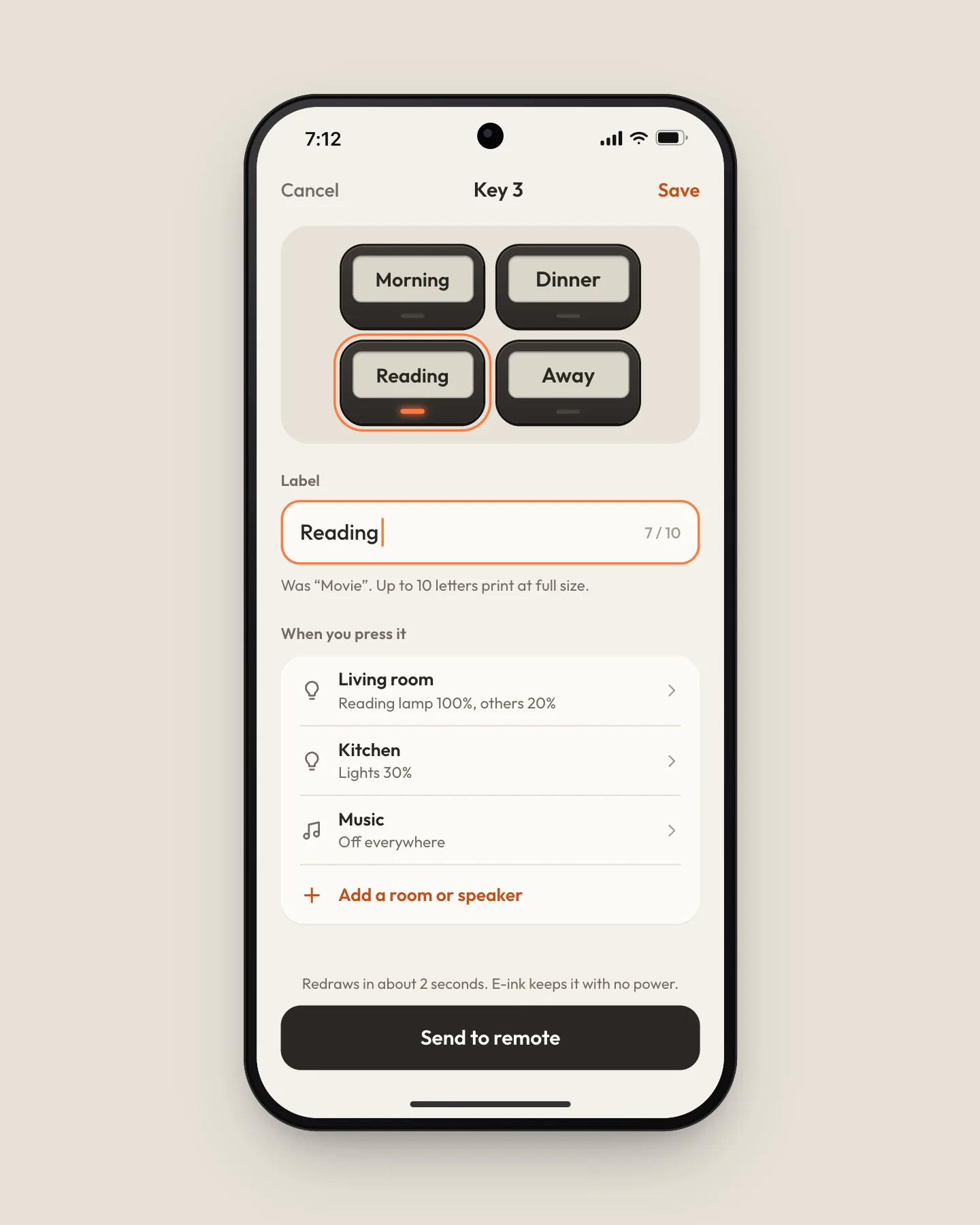
Four keys with labels you write
Scenes live on four physical keys whose e-ink labels are set from the app and hold with no power, so a key still says Away after a month in a drawer. We shipped them as Morning, Dinner, Movie, and Away. In the first week, 61% of households renamed at least one, usually to a routine of their own, like Homework or Bath.
- 03
The app’s dial is the same dial
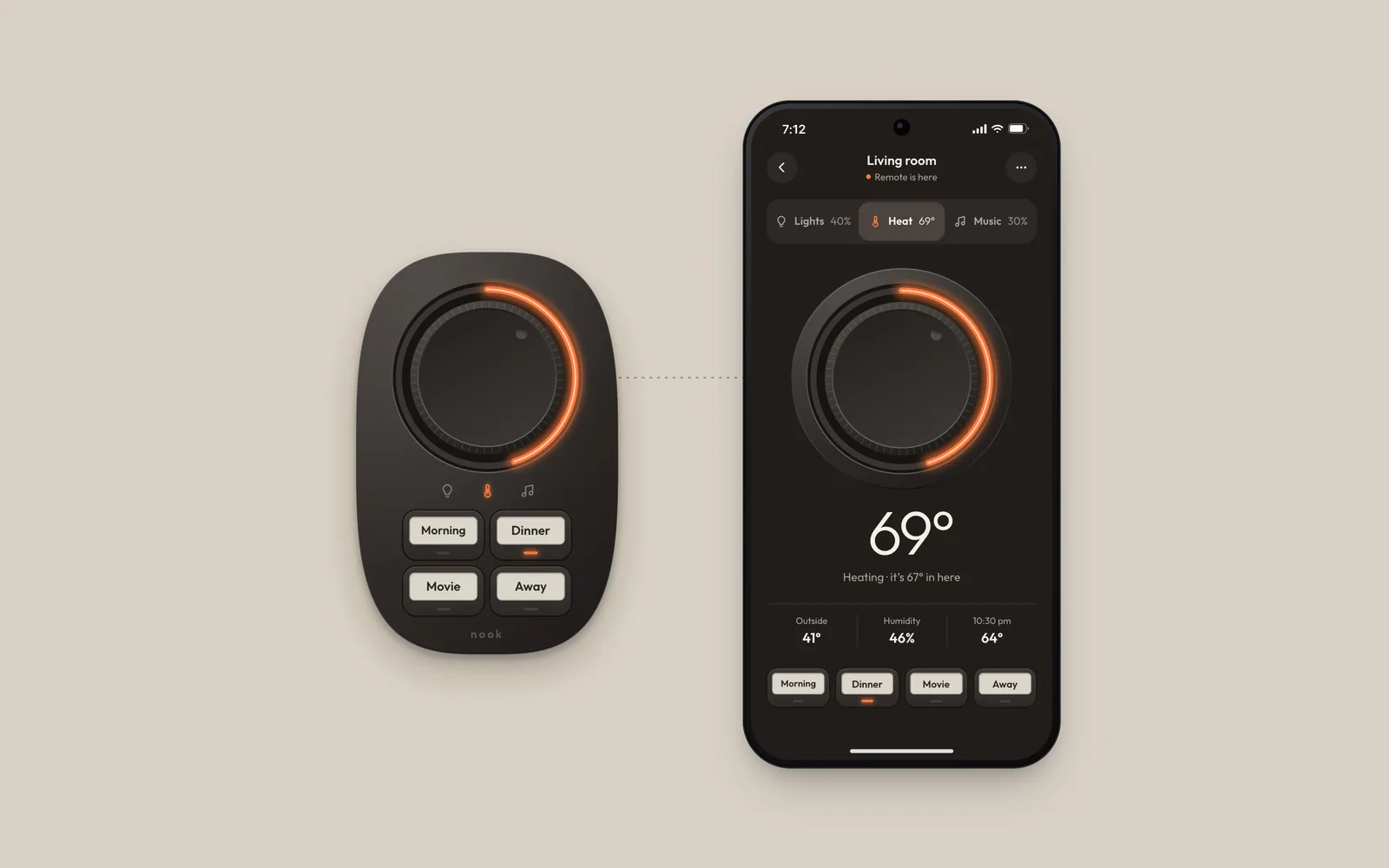
On the phone the dial is drawn at the remote’s real size, turns the same way under one finger, and the same press switches between heat, lights, and music. The number sits under the dial on both, not inside it, so people learn to read the ring. What someone learns on one works on the other.
Outcome
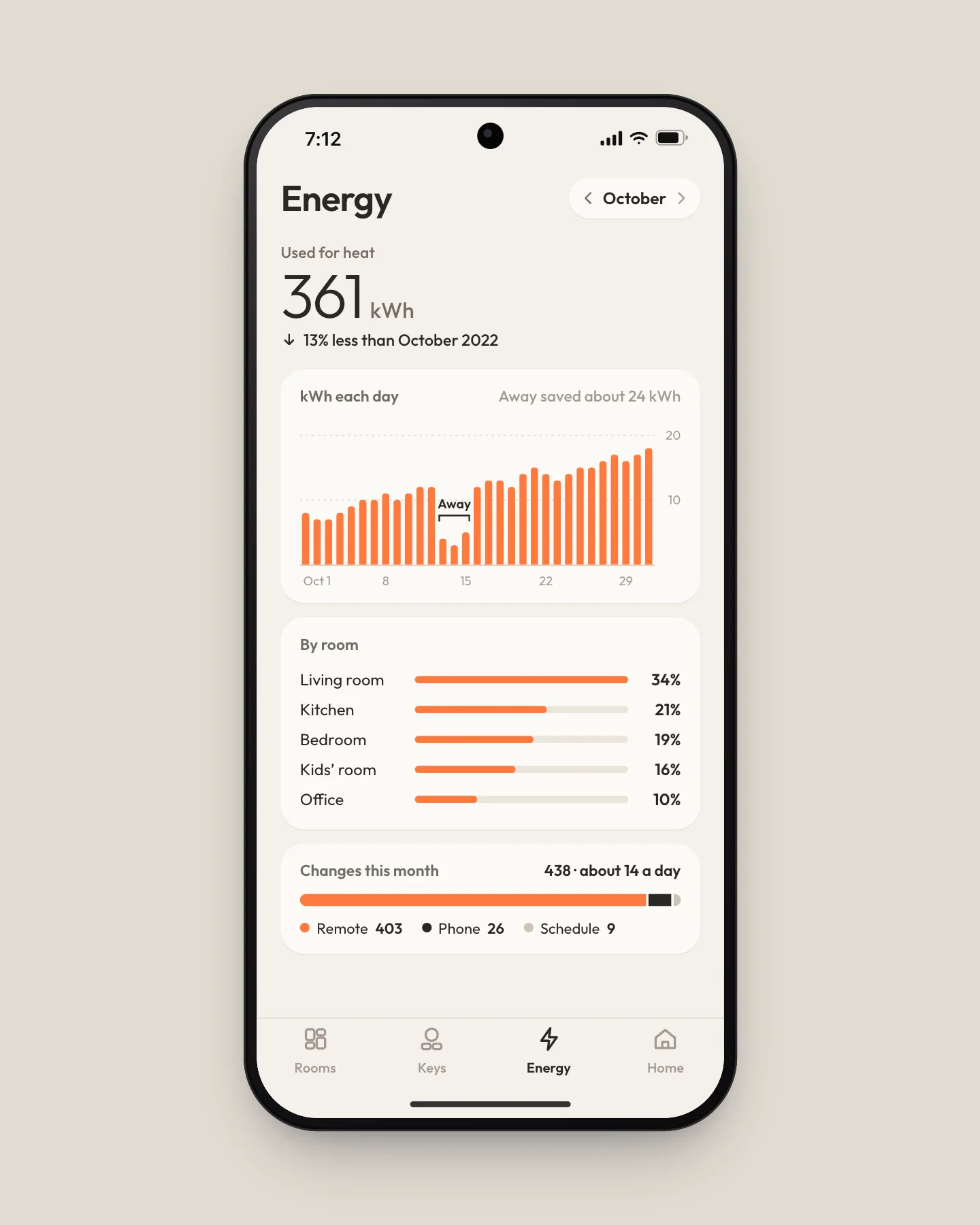
Across the first 2,100 homes, households use Nook 14 times a day, and 92% of those changes happen on the remote rather than a phone. The campaign closed at 6,200 backers, 3.1 times its goal.
The brief
Nook Home was four people and a foam prototype when they brought me in: a pebble meant to replace the drawer of apps that runs a modern house. I owned everything you touch, on the hardware and in the app, with a crowdfunding launch eleven months out and a $79 retail price to hit.
I spent the first month in 14 homes around Portland. The person who installed the lights, the thermostat, and the speakers could run them, from five or more apps. Guests, kids, and grandparents could run none of them. The brief became one sentence: the person who did not set it up should get it right on the first try.
Fewer things, each one physical
Early prototypes had a round screen in the dial and a list of rooms to scroll. In testing, people who had not set it up spent their first minute reading. When we replaced the screen with a ring of light and let the remote work out which room it was in, strangers to the house got the heat right on the first try 19 times in 20, up from 9.
The dial does one thing at a time. Pressing it steps through lights, heat, and music, and a small light shows which one you are turning. The knob only moves when a hand moves it: when a scene changes the heat, the ring moves and the knob stays put, so the remote never looks like it is turning itself.
Live demo
Turn the dial, press a key
Drag around the dial or use the arrow keys. Press the dial to switch what it controls, then try a key or carry the remote to another room.
Scene keys move the ring, never the knob. Carry the remote to the kitchen and the same dial turns the kitchen.
My son’s house had a tablet on the wall I was afraid to touch. This one I pick up and turn, and the living room gets warm. I pressed Movie by mistake once and the lights went down, and that was all that happened.”
Results
- Uses per household a day
- 14
- first 90 days, 2,100 homes
- Changes made on the remote
- 92%
- not on a phone
- Backers
- 6,200
- 3.1× the campaign goal
What I would do next
The remote only knows a room once someone walks it there during setup, and one household in six skipped a room they rarely use. Next I would let it learn a room the first time the dial is pressed there, and ask about it afterwards instead of up front.