Case study 08 / 08
Train ticket app
Cascadia Rail
A regional rail app where the date picker shows every day’s fare and the ticket finds its own platform.
- Client
- Cascadia Rail, Portland
- Year
- 2025
- Role
- Lead product designer
- Team
- Imani Okafor, product
- Ben Takeda, iOS
- Rosa Delgado, payments
- Walt Kerrigan, conductor operations
The problem
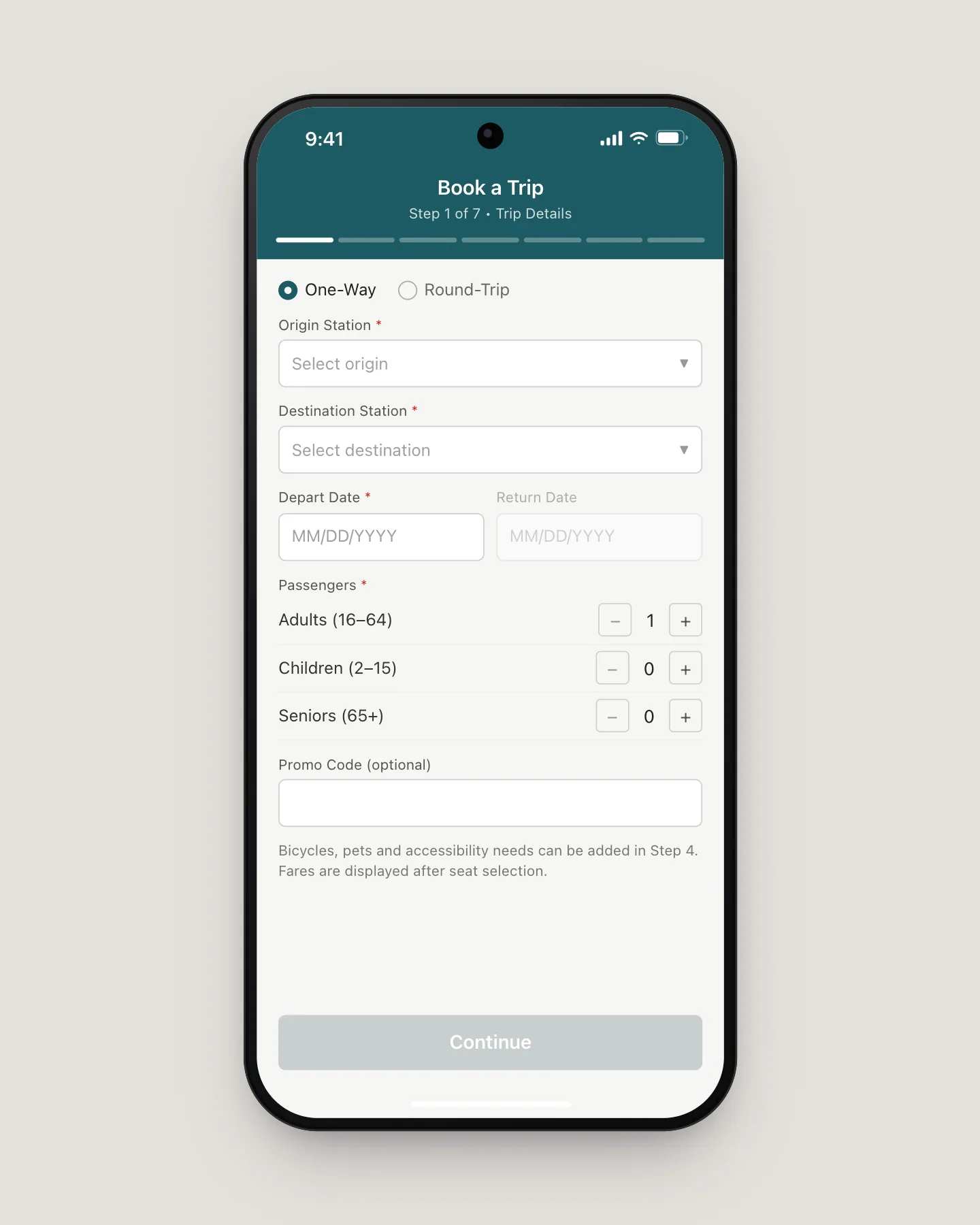
Booking a ticket took seven screens, and the price showed up on the fifth. Fares change by the day, so riders who had already picked a date, a train and a seat found out it cost $56 instead of $29, and 40% of them left right there. The ones who paid got a PDF that conductors had to pinch and zoom in a swaying aisle.
Decisions
- 01
Put the price on the calendar
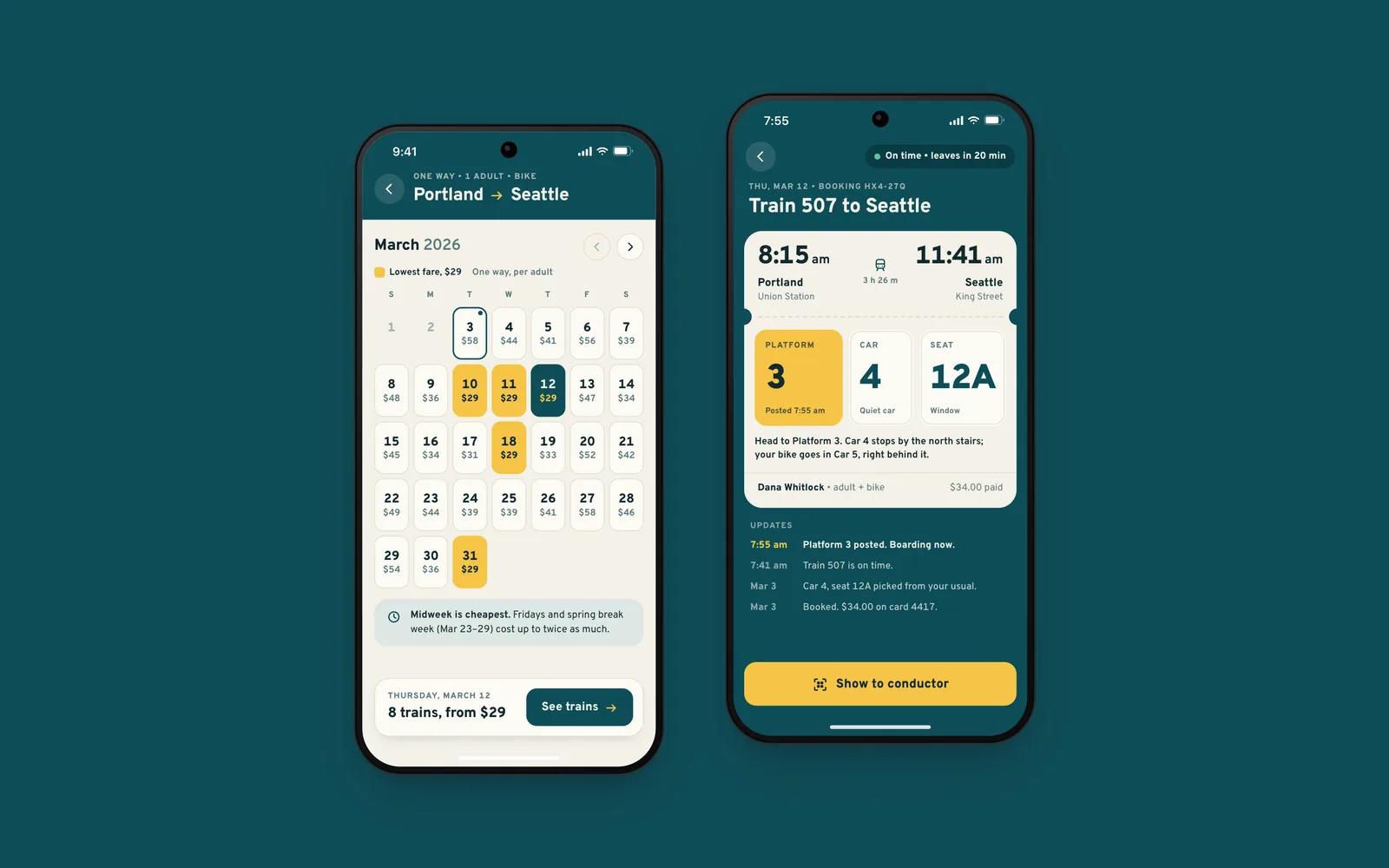
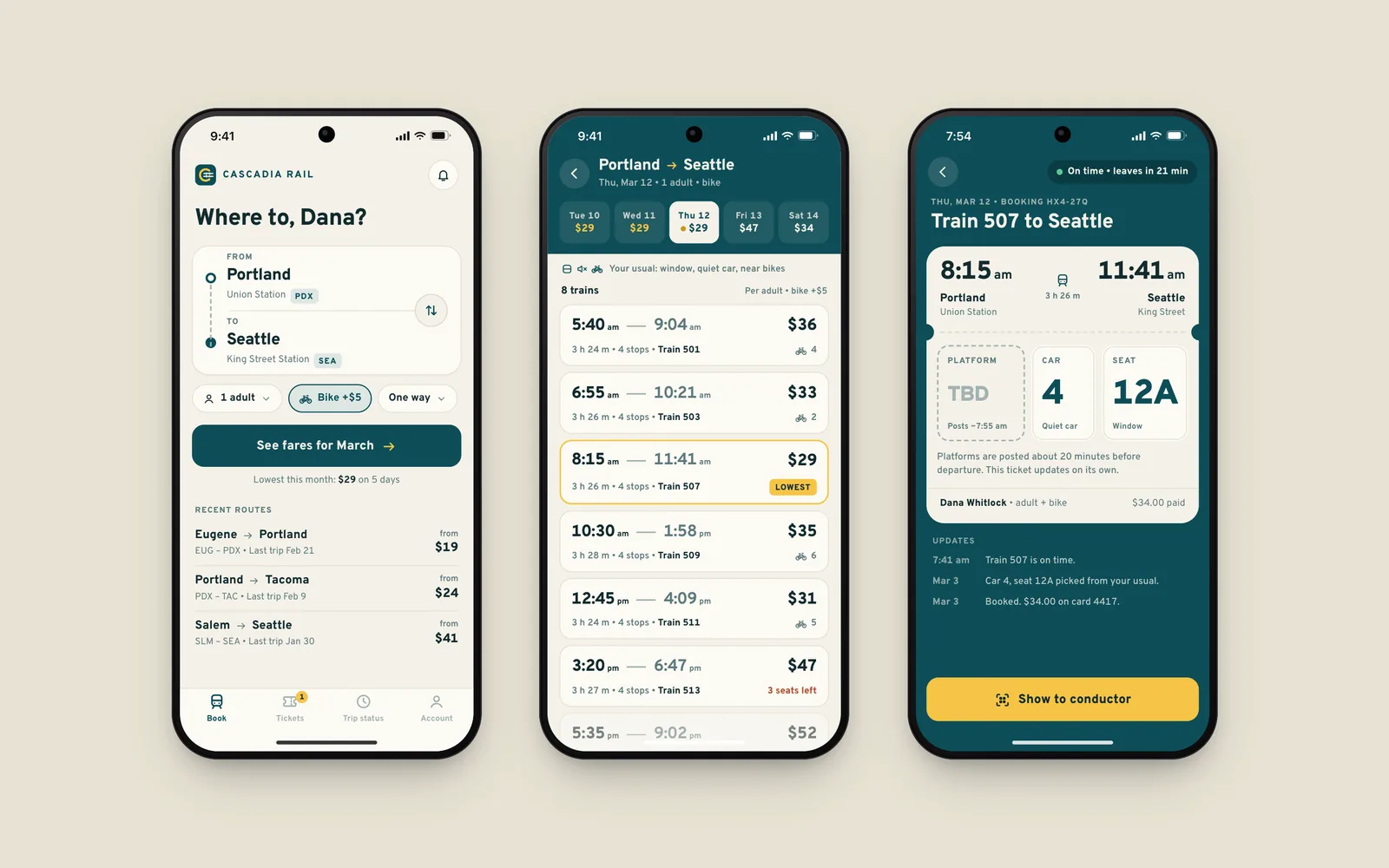
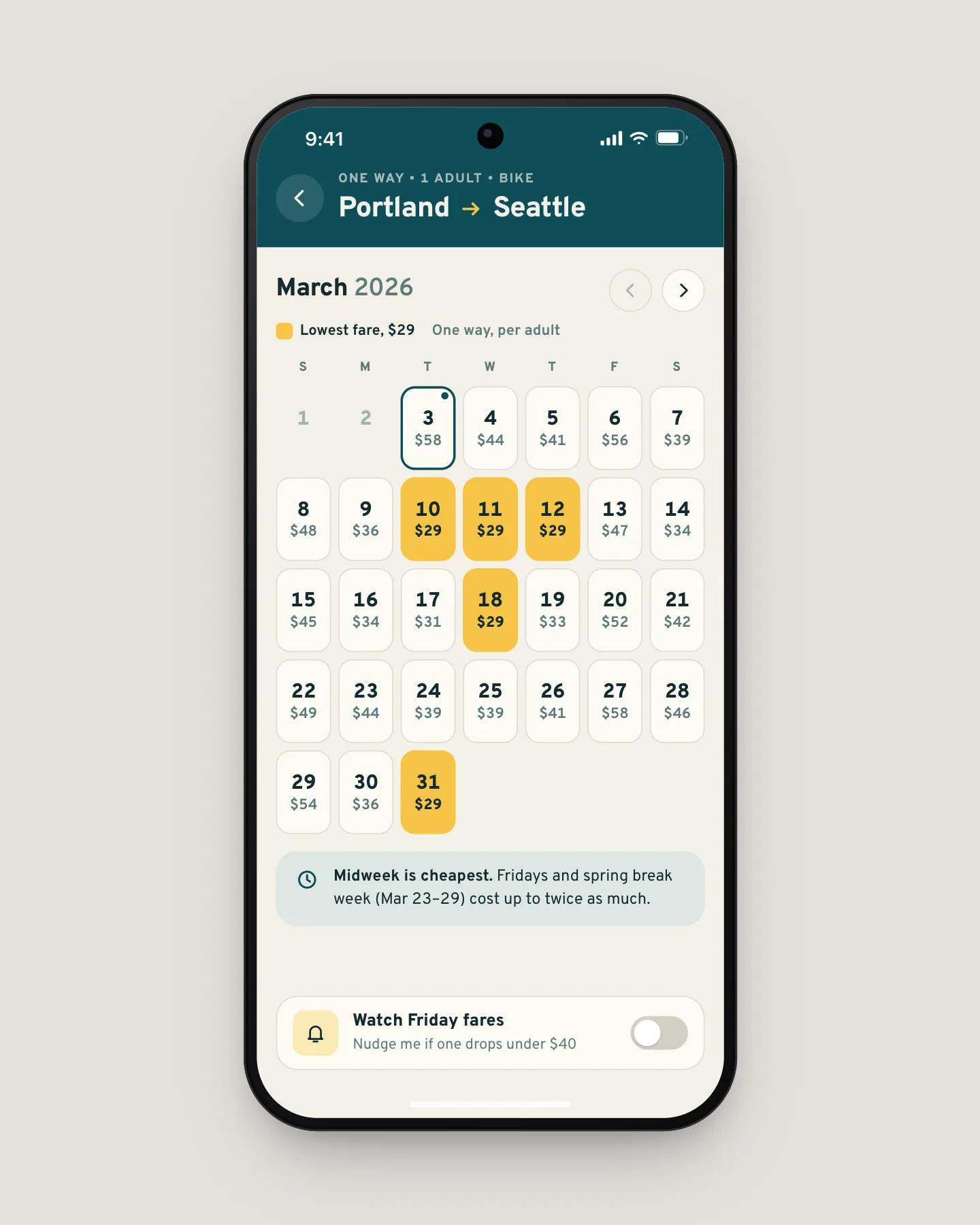
The first screen after the route is the month, and every day shows its lowest one-way fare. The cheapest days are filled in signal yellow, so a rider who can move a day sees the $29 Tuesday before committing to the $56 Friday. Date and price became one decision instead of a surprise at step five.
- 02
Ask how people ride, not which seat
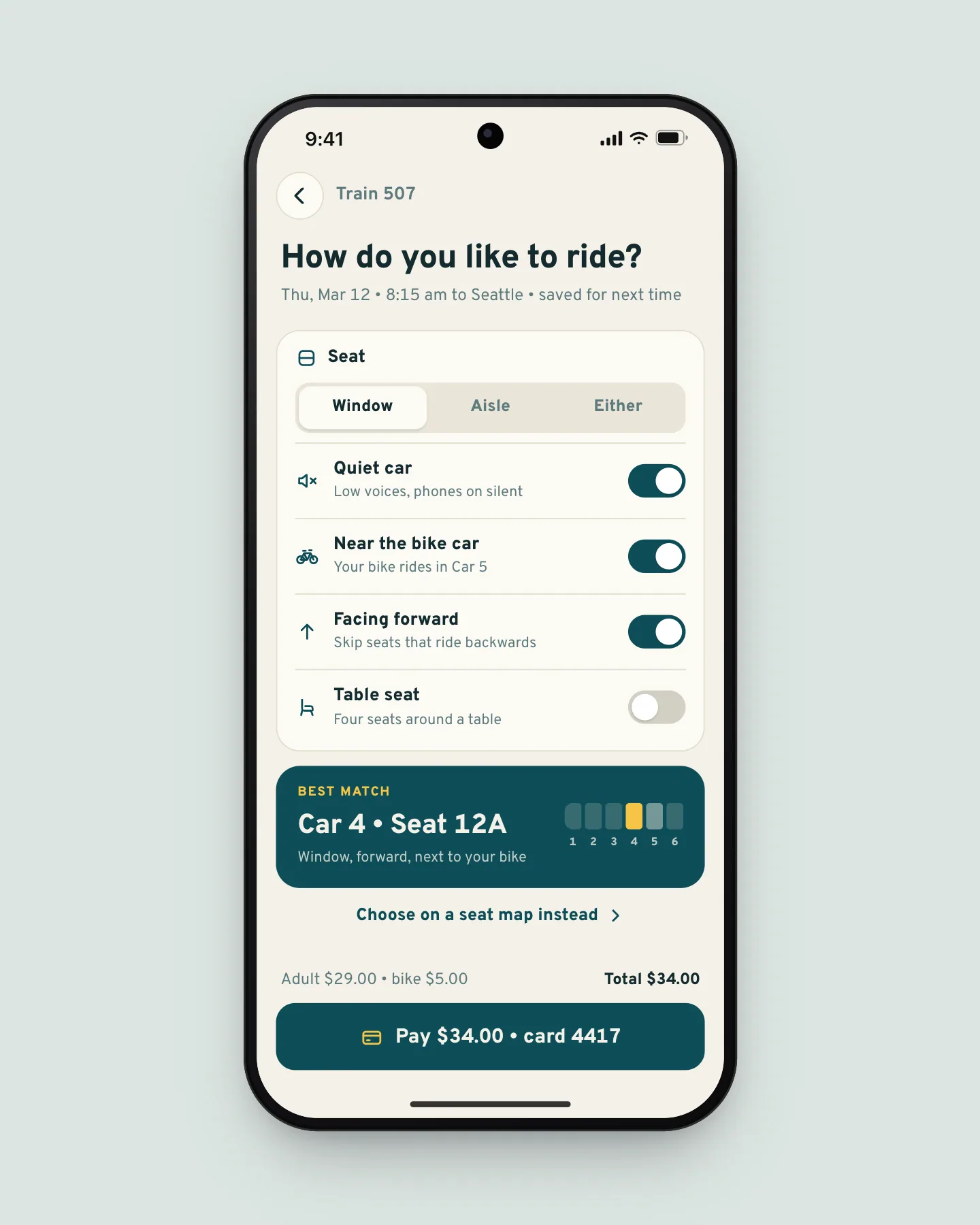
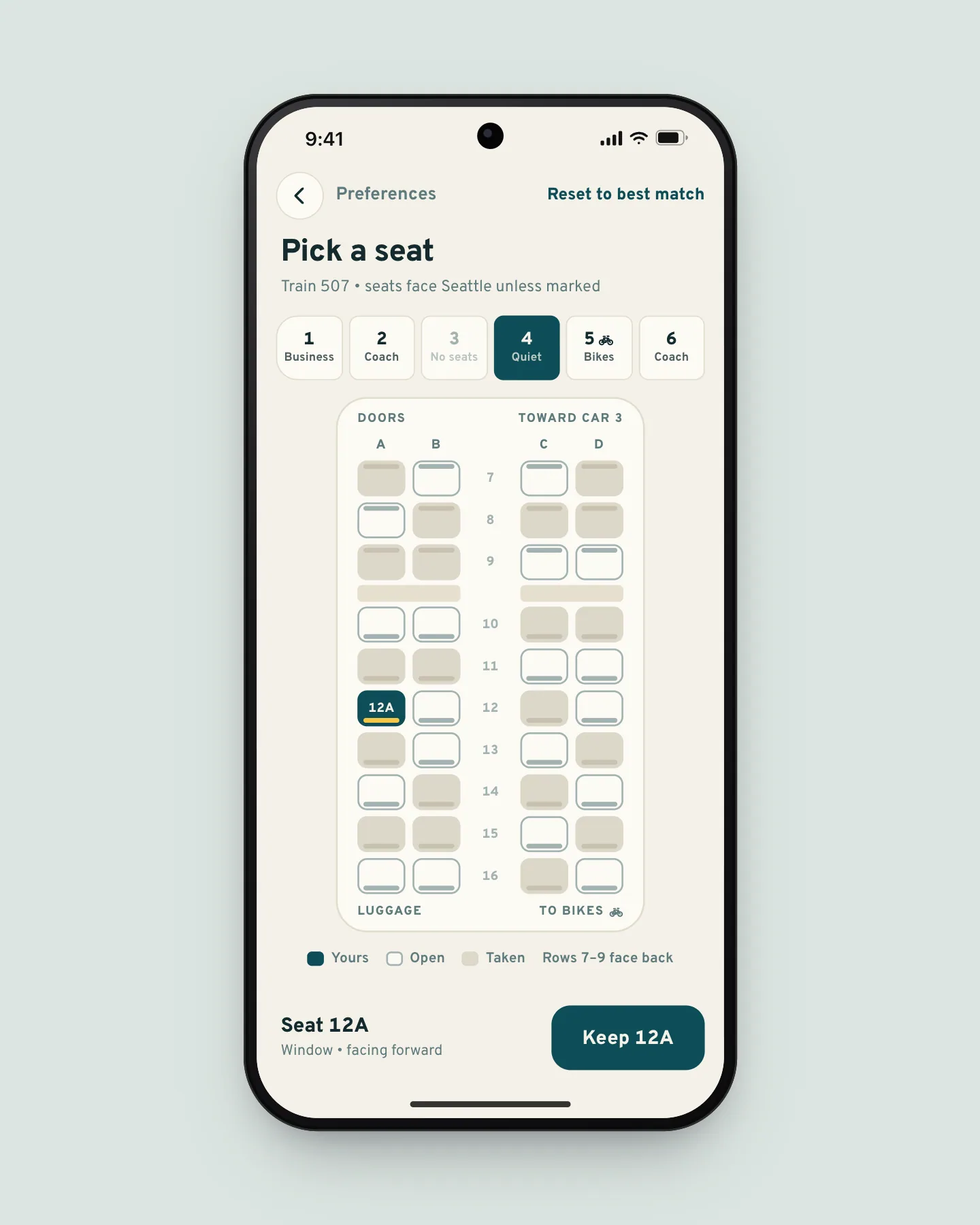
Almost nobody wanted 12A in particular; they wanted a window, the quiet car, or to sit near their bike. Four switches, saved for next time, choose the seat, and the map is one tap away. In testing, seven riders in eight never opened it.
- 03
A ticket that keeps up with the train
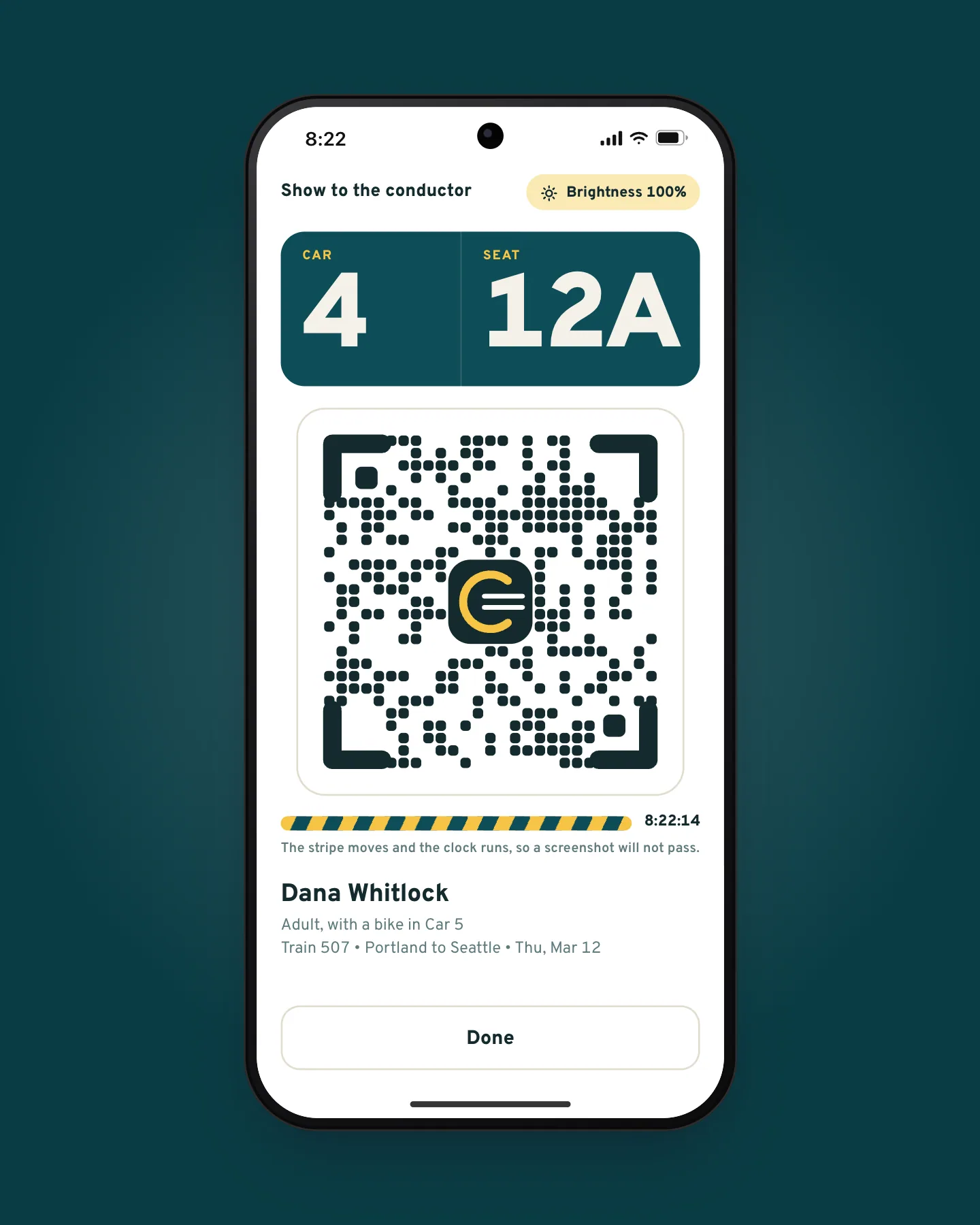
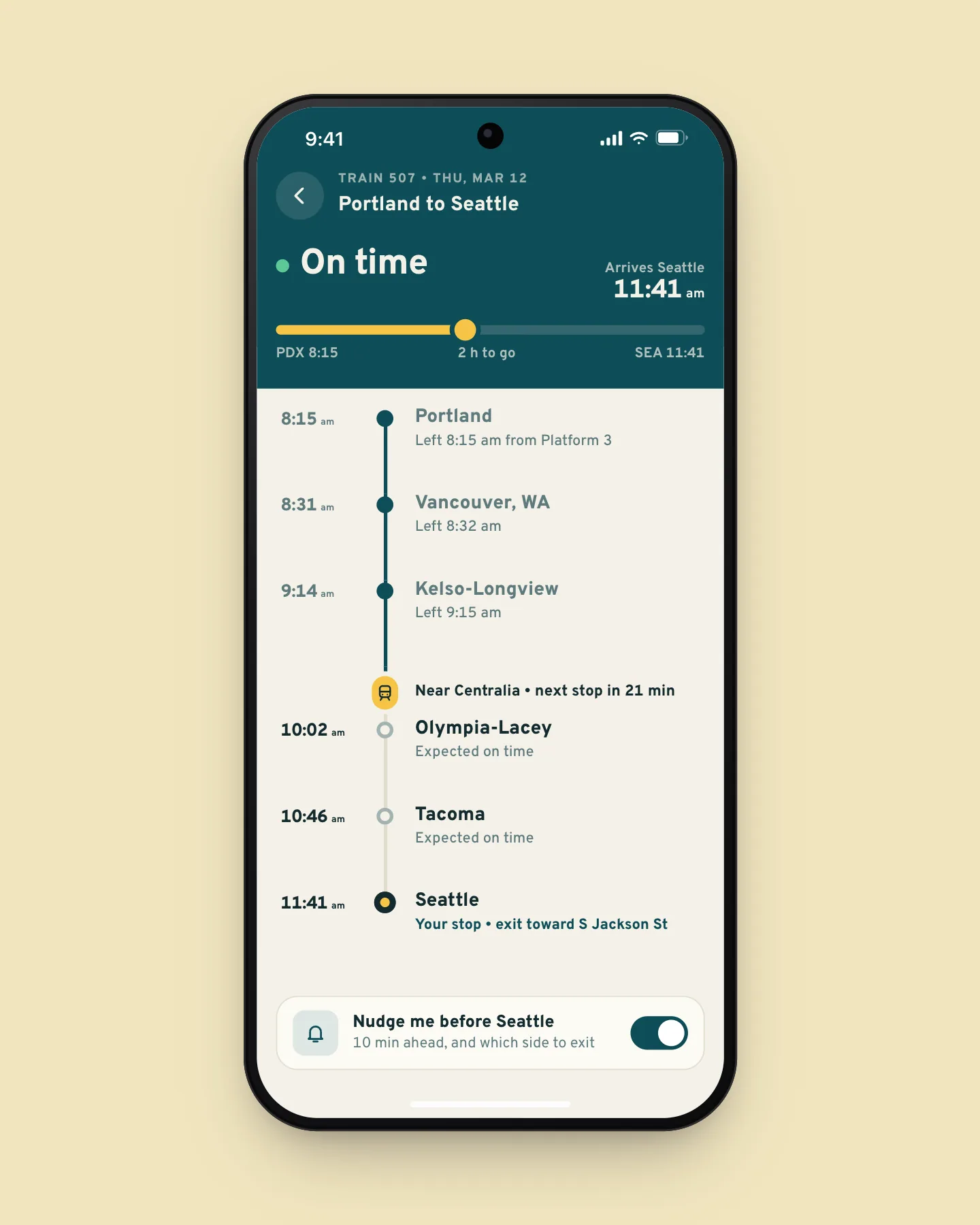
The ticket fills in its platform when dispatch assigns one, about 20 minutes before departure, so nobody has to stand under the departures board. For the conductor it turns into scan mode: full brightness, car and seat in huge type, and a code that reads at arm’s length.
Outcome
Median booking time fell from 2 minutes 40 seconds to 28 seconds. Mobile’s share of ticket sales went from 31% to 64%, and conductors take 35% less time to check a full car.
The brief
Cascadia Rail runs eight trains each way between Portland and Seattle, and fewer south through Salem to Eugene. Its app sold 31% of tickets; the rest went through the website and station windows. Imani Okafor, who leads product, asked for two things: more people booking on their phones, and no more conductors squinting at PDFs.
The old flow asked for stations, a date, passengers, a train, a seat and extras before it showed a price. Fares here move with the day and with how full a train is, so the number on step five was often a shock. The funnel put 40% of all drop-off on that one screen, more than the other six combined.
Keeping the price honest
A “from” price only helps if the fare still exists when you tap it. With Rosa Delgado on payments, we refresh the month every five minutes and drop the yellow mark when fewer than four seats are left at that fare, so riders are rarely promised a $29 day that turns out to be $33.
The calendar cost us the combined round-trip picker. The return now gets its own calendar after the outbound train, one more screen for the 22% of trips that are round trips, in exchange for a month that stays readable on a phone.
Live demo
Pick a day by its price
Tap a day, choose a train and pay, then watch the ticket get its platform.
The demo skips ahead to departure morning. In service the platform posts about 20 minutes before the train leaves, and the ticket updates on its own.
Tickets for the conductor
I rode six shifts with conductors between Portland and Seattle. On a full Friday train, checking one 72-seat car took about 11 minutes, most of it spent zooming into PDFs and asking people to turn their brightness up. Walt Kerrigan, who runs conductor operations, said the line his crews hear most is “hang on, it’s loading.”
Scan mode is built to be read at arm’s length in a moving aisle. The screen goes to full brightness, the car and seat are the biggest things on it, and a moving stripe and running clock show it is live rather than a screenshot. Once a ticket has its platform it also works with no signal.
On a full Friday I used to be checking tickets until Olympia. Now people hold the phone up, I read the car and seat from three rows back, and I’m done before Kelso.”
Results
- Median booking time
- 28 s
- down from 2 min 40 s
- Sales made on phones
- 64%
- up from 31%
- Time to check a full car
- −35%
- over six weeks of Friday trains
What I would do next
The calendar answers “when is it cheap?”, but weekly riders ask “when is it cheap for me?” The next version learns your usual train and marks days by that train’s fare instead of the day’s lowest. It matters most on Fridays, when the 5:40 am is cheap and nobody wants it.